What Is an AI SQL Tool? How It Works and Where It Falls Short
What is an AI SQL tool? See how AI turns plain-English questions into SQL, who uses it, the 6 things to check before you pick one, and where it falls short.
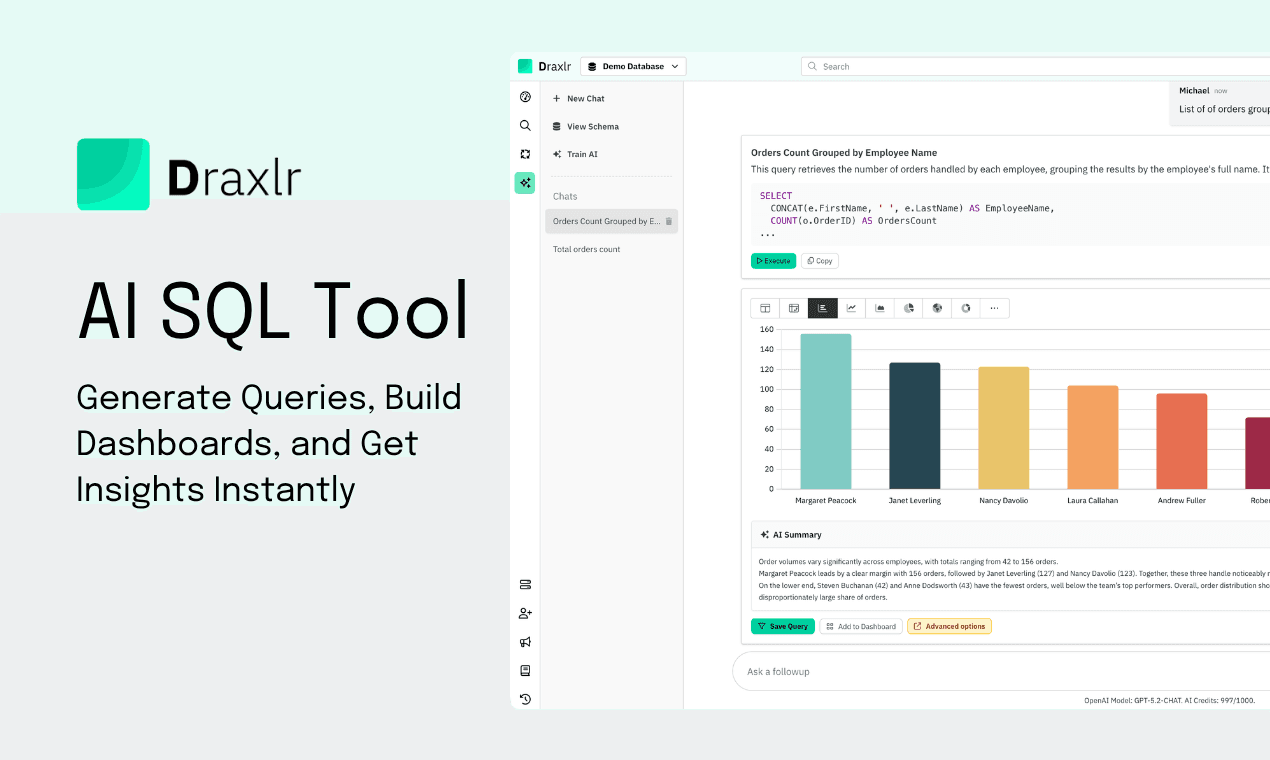
An AI SQL tool turns a question written in plain English into a SQL query, runs it against your database, and shows the answer as a table or chart.
Most teams look for one for the same reason. Writing SQL still feels intimidating for many people, and not everyone on your team can run a "SELECT * FROM" confidently. But they all have questions about the data:
"Which campaign got us the most users?"
"What's our revenue in Europe?"
Without an AI SQL tool, these questions sit in Slack threads or email drafts, waiting on someone with SQL expertise.
This guide explains what an AI SQL tool is, how it works under the hood, what to look for when you choose one, and where these tools still fall short. If you want to try one on your own data, Draxlr's AI SQL tool connects to 14 SQL databases.
What is an AI SQL tool?
An AI SQL tool is software that turns plain English into working SQL queries. It removes the need to write SQL by hand and opens up database access to people in every role. Think of it as a translator between people and databases.
Using one feels like chatting with your database. You ask a question, the AI works out your intent, and you get back a ready-to-run SQL query along with the result.
For example, you type "List of orders grouped by employee's name" and get the SQL query and a chart of the result.

How does an AI SQL tool work under the hood?
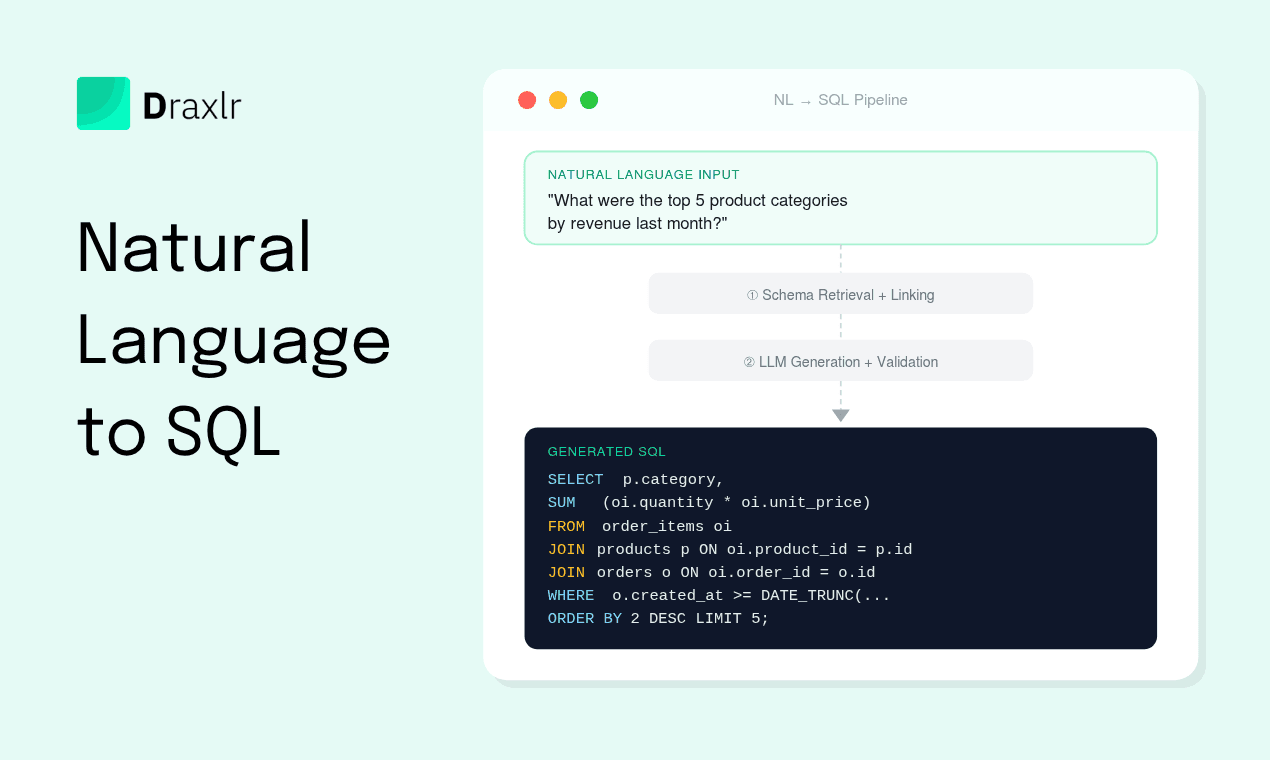
An AI SQL tool is not magic. It combines three things to turn your question into an accurate query:
- Schema awareness: The tool reads your database schema, including table names, column names, data types, and relationships between tables. This gives the AI the vocabulary it needs to map your question to real data.
- A large language model (LLM): Your plain-English question is sent to an LLM along with the schema context. The model uses both to infer intent, pick the right tables, apply the right joins, and generate a syntactically valid SQL statement.
- Execution and visualization layer: The generated SQL is run against your database, and the result set is analyzed to suggest the best chart type, whether that is a bar chart, pie chart, time series, or table.
The quality of an AI SQL tool depends heavily on how well it grounds the LLM in your actual schema. Tools that only pass the question to a generic model without schema context tend to hallucinate column names and produce queries that fail.
For a deeper technical breakdown of every stage in this pipeline (tokenization, schema linking, prompt assembly, validation, and the self-repair loop), see Natural Language to SQL: How It Works Under the Hood.
Who uses AI SQL tools?
AI SQL tools meet people where they are, which makes data usable for roles that don't write SQL:
- Founders: Track feature adoption, product usage, and growth trends without relying on an analyst.
- Product managers: Get answers about user behavior, funnel drop-offs, and feature engagement in plain English.
- Marketers: Analyze campaign performance, channel ROI, and regional impact without sifting through complex spreadsheets.
- Executives: Ask high-level questions about revenue, churn, or monthly active users and get visual answers you can act on.
If you ask questions of your data and make decisions on the answers, an AI SQL tool is built for you.
What changes for a team that uses one?
Consider a mid-size SaaS team with one data analyst and a steady stream of ad-hoc requests.
Without an AI SQL tool: A product manager asks the analyst for weekly sign-ups by plan. The analyst is mid-sprint on a retention model, so the request waits two days. When the query arrives, the PM wants a small tweak, which means another round trip. Multiply that across marketing, support, and leadership, and the analyst spends a large part of every week on one-off queries.
With an AI SQL tool: The same PM types "weekly signups by plan over the last 8 weeks", gets the SQL and a chart in a minute or two, and pins it to a dashboard. The analyst gets that time back for the retention model, and decisions that used to wait days happen in the meeting where the question came up.
The real gain isn't only faster queries. It's removing the queue between a business question and a business answer.
"Draxlr helps me turn raw SQL data into clear dashboards without needing a data team. It saves time by letting me build and share reports directly from my database, using either AI, SQL, or their Visual Query Builder."
What to look for in an AI SQL tool
Most AI SQL tools look alike in a demo. These are the differences that show up once you use one on real data:
- Schema grounding. The tool should read your actual tables, columns, and relationships, and let you add descriptions and business definitions. Tools that send your question to a generic model without schema context tend to invent column names.
- SQL you can see and edit. You should be able to inspect the generated query, change it, and rerun it. That's how analysts check the AI's work, and how everyone else learns to trust it.
- Read-only, secure access. Look for read-only queries, encrypted connections and credentials, and support for a read-only database user.
- A direct connection to your database. Some tools need your data copied into a warehouse first. Others query your database or a read replica directly, which means less setup and fresher answers.
- Somewhere for answers to go. A query on its own is a one-off. Charts, dashboards, scheduled alerts, and sharing turn an answer into something the team keeps using.
- A pricing model that fits your team. Some tools charge per user, some sell AI as an add-on, and some use flat plans with AI credits included. Check what happens to the bill when more people start asking questions.
For a side-by-side look at 11 tools, including pricing, see Best AI SQL Tools in 2026.
Example: from question to dashboard in Draxlr
Here's what that loop looks like in practice, using Draxlr. For a longer walkthrough, see how to build SQL dashboards with AI.
1. Connect your database
Connect a SQL database such as PostgreSQL, MySQL, MSSQL, or Databricks. Draxlr reads the schema, meaning the table names, columns, and how they relate to each other, so the AI can write queries that match your data. Your rows stay in your database.
2. Ask a question in plain English
Type the question the way you'd ask a colleague, for example:
- "Show me total revenue by country for the last three months."
- "Give me all the products by category."
You don't need to know how your tables are structured or what the columns are called.
3. Review the SQL and the chart
Draxlr generates a read-only SQL query that matches your schema, including the joins, filters, and aggregations your question implies. You can show or hide the SQL, choose whether queries run automatically, and ask follow-up questions to refine the result, which appears as a table or chart.
4. Save it to a dashboard and share it
Under each result, Add to Dashboard adds the chart to one of your dashboards, and Customize opens the editor, where you can format numbers, adjust axes, toggle grid lines, and add trend lines. From there you can schedule Slack or email alerts, and on the Premium plan and above, embed dashboards in your own product with HTML, React, or Vue.

Is it safe to connect a database to an AI SQL tool?
It can be, if the tool is built with the right safeguards. Before you connect a database, check four things:
- Read-only queries: The AI should only generate queries that read data, so it can't modify, delete, or insert rows.
- A read-only database user: Even with read-only queries, connect with a user that only has read access, ideally on a read replica.
- Encrypted connections and credentials: Stored credentials should be encrypted, and connections should use SSL/TLS.
- Where your data goes: Ask whether the tool copies your data into its own storage or queries your database in place.
Draxlr only generates read-only queries, connects over encrypted connections, encrypts stored credentials, and queries your database in place without replicating your data. For sensitive workloads, connect through a read replica with a read-only user and limit the AI to the tables it needs.
Where do AI SQL tools still fall short?
AI SQL tools have come a long way, but they are not a full replacement for a human analyst in every situation. It helps to know where they fall short so you can use them effectively.
- Read-only by design: Most AI SQL tools are built for querying and analysis, not data entry. If you need to insert or modify records, you will need a separate database client.
- Ambiguous questions: If your question can be interpreted in multiple ways ("top customers" by revenue? by order count? by recency?), the AI has to guess. The more specific your question, the more accurate the result.
- Complex multi-step analysis: Questions that require several chained calculations, window functions, or subtle business logic (like cohort retention or attribution) may need manual refinement in the query builder.
- Non-standard schema naming: If your tables and columns use cryptic names or abbreviations with no documentation, the AI has less context to work with. Adding table and column descriptions improves accuracy significantly.
- Business logic that lives outside the database: If "active user" is defined by a rule your team keeps in a Notion doc rather than in the data, the AI cannot know about it unless you spell it out in the question.
How Draxlr handles these limitations
Draxlr gives you two ways to close the gap:
- Business context and table descriptions: With Train AI, you give Draxlr AI your business definitions, KPI logic, and naming conventions, for example that "active user" means anyone who logged in within the last 30 days. With Fine-tune AI, you describe tables and fields, such as an
orders.statuscolumn that usesPfor pending andFfor fulfilled, and choose which tables the AI is allowed to use. That context goes to the AI along with your schema, so queries reflect how your business works, not just what the raw column names suggest. - Full control over SQL and visualizations: Every query Draxlr generates is fully editable. You can view the SQL, tweak joins or filters, and rerun it instantly. On the visualization side, you can change chart types, adjust axes, format numbers, toggle grid lines, add trend lines, and fine-tune the look of every dashboard tile. The AI gives you a strong starting point, and you stay in control of the final result.
Together, these mean you are never stuck with an AI guess. You teach Draxlr about your business once, and refine any individual query or chart whenever you need to.
Final thoughts
Most teams don't lack data. They lack a fast, reliable way to use it. An AI SQL tool closes that gap by turning plain-English questions into SQL, charts, and dashboards, while keeping the SQL visible for anyone who wants to check it.
When you evaluate one, focus on schema grounding, editable SQL, read-only access, and what happens to an answer after the first query. Those decide whether the tool becomes part of your team's routine or stays a demo.
Try Draxlr
Connect your database and ask your first question in plain English. Plans start at $25/month, and the 7-day free trial doesn't need a credit card.
Connect your DatabaseFAQs
1. Is there an AI for SQL?
Yes. AI SQL tools let you ask questions in plain English and get valid SQL queries in return. Tools like Draxlr generate queries based on your database schema, so you don't need to write SQL manually.
2. Can AI create dashboards?
Yes. AI tools like Draxlr can create dashboards by generating queries from plain English and organizing the results into charts. You can save these charts, arrange them into dashboards, and schedule reports without writing SQL or configuring visuals manually.
3. What is the best AI SQL tool?
It depends on who will use it. Analysts who want AI help inside a SQL client need something different from business users who want charts and dashboards from plain-English questions. The strongest tools ground the AI in your real schema, show the SQL they generate, and connect directly to your database. For a side-by-side comparison, see our Best AI SQL Tools in 2026 roundup.
4. Is it safe to connect my database to an AI SQL tool?
Yes, when the tool is built with the right safeguards. Look for read-only queries, encrypted connections and credentials, and support for a read-only database user. Draxlr only generates read-only queries, encrypts stored credentials, and queries your database in place without replicating your data. For sensitive workloads, connect through a read replica with a restricted user.
5. Which databases do AI SQL tools work with?
Most AI SQL tools support popular SQL databases such as PostgreSQL, MySQL, and SQL Server, plus cloud warehouses like Snowflake and BigQuery, but coverage varies, so check yours before you choose. Draxlr works with 14 SQL databases, including PostgreSQL, MySQL, MariaDB, SQL Server, Snowflake, BigQuery, Redshift, ClickHouse, and Databricks.
6. How accurate are AI-generated SQL queries?
Accuracy depends on two things: how specific your question is and how well the tool grounds the AI in your actual schema. Tools that read your real table and column names before generating a query make far fewer mistakes than a generic chatbot guessing at your schema. For ambiguous or highly complex questions, view the generated SQL and refine it before you save it to a dashboard.
7. Do I need to know SQL to use an AI SQL tool?
No. The entire point of an AI SQL tool is to remove that requirement. You ask questions in plain English and get back charts and dashboards. That said, if you do know SQL, you can inspect and edit the generated queries for full control, which makes it useful for both non-technical users and analysts.
8. How is this different from just using ChatGPT with my database schema?
ChatGPT can write SQL if you paste in your schema, but it has three practical limits. First, it has no live connection to your database, so you have to copy queries out, run them elsewhere, and copy results back every single time. Second, it does not produce dashboards, charts, scheduled alerts, or shareable links. Third, pasting schema into a general-purpose chatbot raises data-governance questions that a purpose-built tool handles with read-only queries and encrypted credentials. If you'd still like to work from ChatGPT, see how to chat with your SQL data using ChatGPT.
About the author

Ameena is the founder of Draxlr, a modern business intelligence platform focused on making data analysis simpler and faster. She writes about embedded analytics, databases, SQL, dashboards, and building scalable data products for modern teams.
If you have questions about anything in this guide, or want to compare options for your specific stack, you can try Draxlr free, or reach out directly through the Draxlr team.